
October 1, 2026 0 Comments
Invoice Management System (IMS) under GST: How It Works and What You Should Know
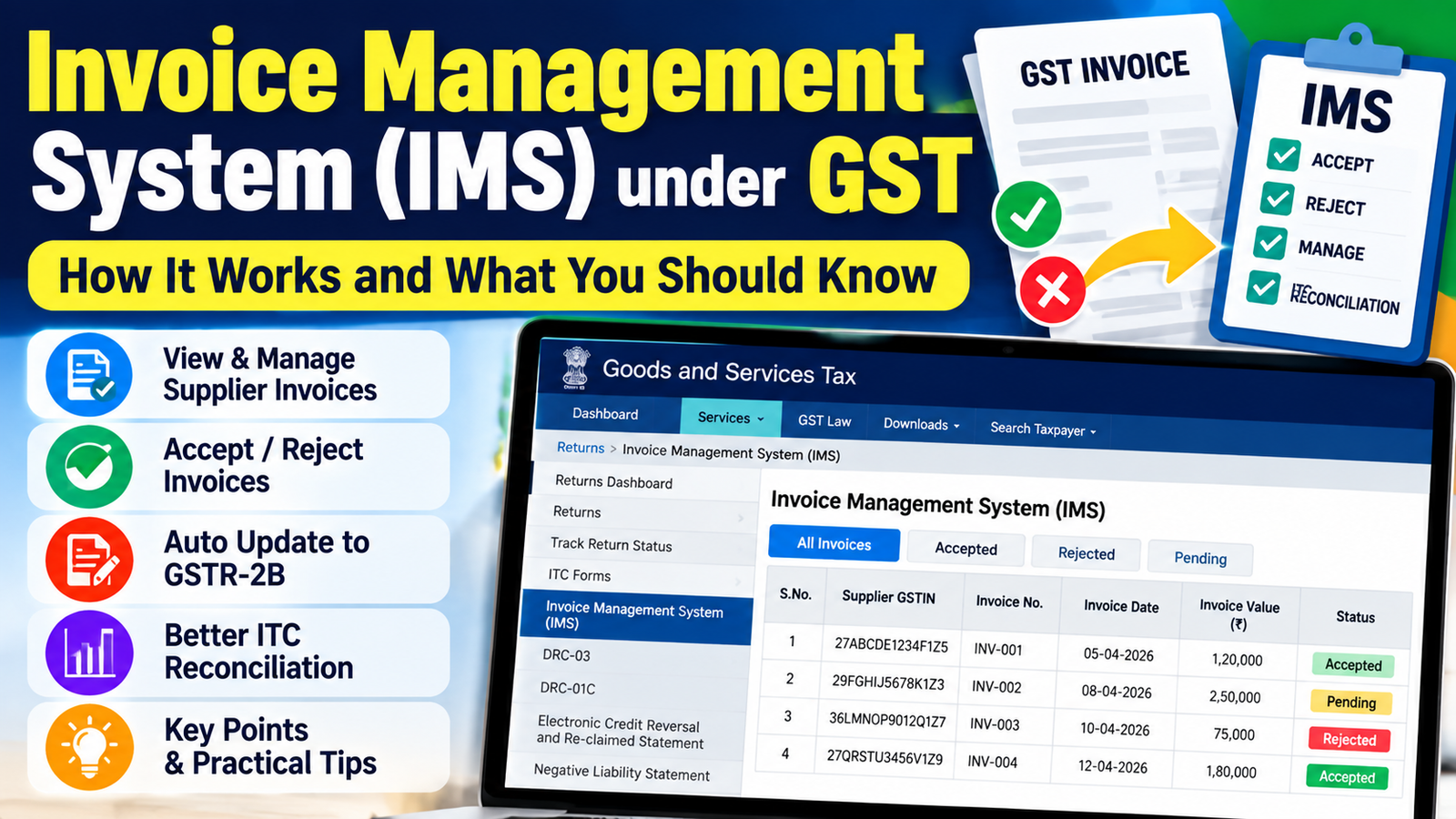
If you’ve logged into the GST portal and noticed the Invoice Management System (IMS), you may be wondering what it does and whether you need to take any action. IMS is a feature that allows recipients to review invoices uploaded by their suppliers before they are considered for Input Tax Credit (ITC). It lets you accept, reject, or keep invoices pending after verifying their details, giving you greater control over the invoices reflected in your GST records.
Understanding how the Invoice Management System works can help you review supplier invoices, identify discrepancies early, and make informed decisions before filing your GST returns. In this guide, we’ll explain what IMS is, how it works, the available invoice actions, and how they affect your ITC.
How Does the Invoice Management System (IMS) Work?
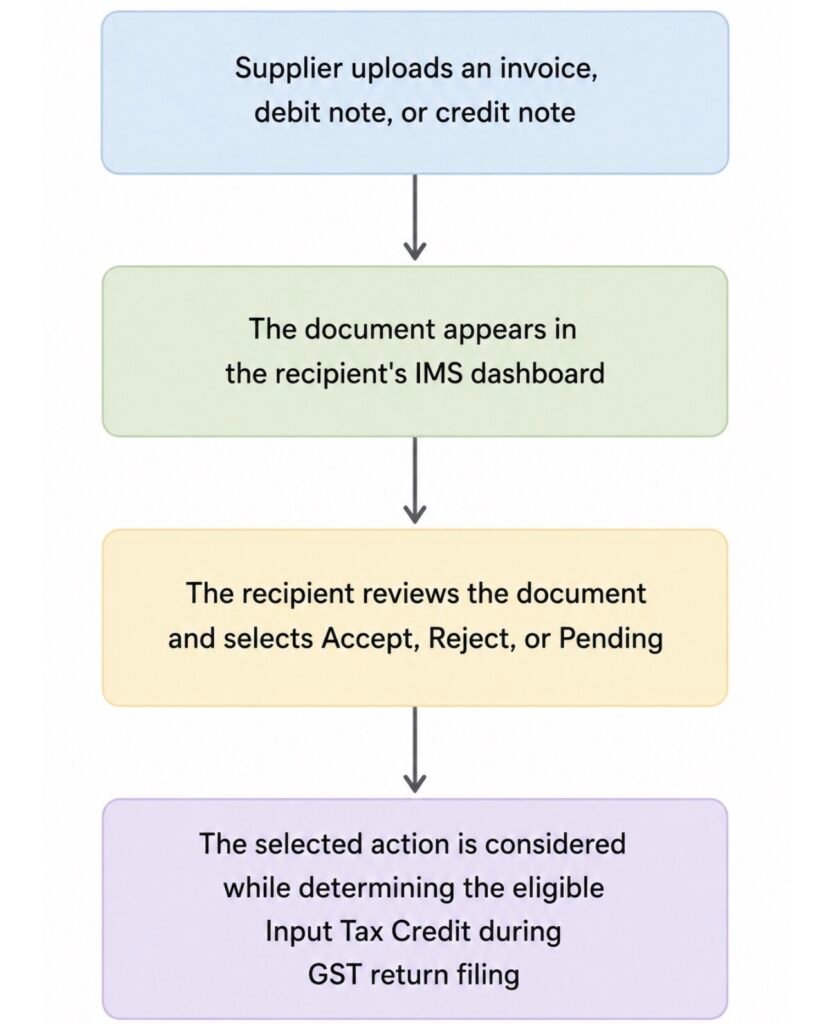
The Invoice Management System (IMS) is part of the GST portal and comes into use after a supplier uploads an invoice, debit note, or credit note in their GST return. Instead of creating or managing invoices, IMS allows the recipient to review these supplier-uploaded documents before they are considered for Input Tax Credit (ITC). This gives recipients an opportunity to verify invoice details, identify discrepancies, and decide how each document should be treated before filing their GST returns.
When an invoice appears in IMS, it should be compared with your purchase records to confirm that the supplier details, invoice value, tax amount, and other particulars are correct. Based on this review, you can choose to accept the document, reject it if it contains errors, or keep it pending if additional verification is required. The action you take plays a role in how the invoice is considered during the GST return process.
The process is straightforward
Documents Available in IMS
Once your suppliers upload documents against your GSTIN, they become available in the IMS dashboard for your review before they are considered for Input Tax Credit (ITC).
The documents you may find in IMS include:
- Tax Invoices – Standard B2B invoices uploaded by registered suppliers.
- Debit Notes – Documents issued when the taxable value or tax amount of an earlier invoice is increased.
- Credit Notes – Documents issued when the taxable value or tax amount of an earlier invoice is reduced, such as for sales returns or discounts.
- Amended Documents – Updated invoices, debit notes, or credit notes submitted by the supplier to correct previously reported details.
- E-Commerce Operator (ECO) Documents – Applicable documents uploaded for transactions made through e-commerce operators, where relevant.
Not every GST document is available in IMS. Certain documents are reflected directly in GSTR-2B or other GST returns as prescribed under the GST rules.
Understanding the Actions in IMS
Once an invoice, debit note, or credit note appears in your IMS dashboard, you need to decide how it should be treated. The GST portal provides three actions—Accept, Reject, and Pending—to help recipients manage supplier-uploaded documents before they are considered for Input Tax Credit (ITC). Choosing the appropriate action depends on whether the document matches your purchase records and whether any further verification is required.
Accept
Choose Accept when the invoice matches your purchase records and all the details are correct. This includes verifying the supplier’s GSTIN, invoice number, invoice date, taxable value, tax amount, and confirming that the goods or services have been received as mentioned in the invoice.
Selecting Accept confirms that you have reviewed the document and found no discrepancies. The invoice is then considered while determining your eligible Input Tax Credit during GST return filing.
Reject
Choose Reject if the invoice contains incorrect information or should not be considered for your records. This may include situations where the invoice belongs to another recipient, contains an incorrect GSTIN, has duplicate entries, incorrect taxable values, or any other significant mismatch.
Rejecting an invoice indicates that the document requires correction by the supplier. Once the supplier makes the necessary amendments in a subsequent return, the corrected document can be reviewed again through the GST portal.
Pending
Choose Pending when you are not yet ready to make a final decision on an invoice. For example, the goods may still be in transit, the services may not have been completed, supporting documents may still be under review, or you may be waiting for clarification from the supplier.
Marking an invoice as Pending allows you to revisit it later instead of accepting or rejecting it immediately. This gives you time to complete the necessary verification before deciding how the invoice should be treated for Input Tax Credit.
What Happens If No Action Is Taken?
IMS also provides a default treatment for invoices on which no action is taken. Depending on the applicable GST rules and the type of document, invoices without any action are handled automatically by the GST portal while determining Input Tax Credit.
For this reason, it is advisable to review your IMS dashboard regularly and take the appropriate action within the relevant tax period rather than leaving invoices unattended.
Things to Check Before Taking Action
Before selecting Accept, Reject, or Pending in IMS, compare the supplier-uploaded document with your purchase records. Spending a few minutes on this review can help you identify any differences before the invoice is considered for Input Tax Credit (ITC).
Here are a few important details to check:
- Supplier GSTIN: Confirm that the GSTIN belongs to the supplier who issued the invoice.
- Invoice Number and Date: Check that both match the invoice available in your records.
- Taxable Value and Tax Amount: Compare the values reported in IMS with the original invoice received from the supplier.
- Receipt of Goods or Services: Verify that the goods or services mentioned in the invoice have been received before accepting the document.
- Duplicate Invoices: Check whether the same invoice has been uploaded more than once.
- Debit Notes and Credit Notes: If the transaction includes a debit note or credit note, verify that it matches the related invoice and has been reported correctly.
Making IMS Part of Your GST Process
The Invoice Management System (IMS) marks a shift in how recipients interact with supplier-uploaded invoices under GST. Instead of waiting until return filing, recipients now have an opportunity to review invoice details, identify discrepancies, and address them at an earlier stage.
As more businesses adopt IMS as part of their monthly GST activities, regular invoice reviews will become an important part of maintaining accurate purchase records and Input Tax Credit (ITC) claims. Understanding the feature and using it consistently can help you get the most value from the system while keeping your GST records aligned with your transactions.
Frequently Asked Questions
Is it mandatory to use the Invoice Management System (IMS)?
No. Using IMS is not mandatory. If you do not take any action on an invoice, the GST system processes it according to the applicable IMS rules. However, reviewing invoices in IMS helps you check the details before they are considered for Input Tax Credit (ITC).
Can I change my action after accepting, rejecting, or keeping an invoice pending?
Yes. You can change your action before the applicable GST return is filed, as per the timelines on the GST portal. After that, the action cannot be changed for that return period.
What if my supplier uploads an invoice late?
If your supplier uploads an invoice after the relevant reporting period, it will appear in IMS in the next applicable cycle. You can review it and take the required action when it becomes available.
Does rejecting an invoice delete it from the GST portal?
No. Rejecting an invoice does not delete it from the GST portal. It simply means you have not accepted the invoice. If there is an error, the supplier can make the required corrections as per GST rules.
Which documents can I review in IMS?
You can review invoices, debit notes, and credit notes uploaded by your suppliers for your GSTIN. These documents appear in IMS before they are considered for Input Tax Credit (ITC).
📌 Disclaimer: The Invoice Management System (IMS) is a facilitative feature of the GST portal and does not alter the statutory conditions for claiming Input Tax Credit (ITC) under the CGST Act, 2017 and the applicable Rules.